
Alienware laptop repair in Fulham and Central London
Gaming laptops run hot and work hard. When yours overheats mid-match, refuses to start or loses its display, we trace the fault at component level and fix it.
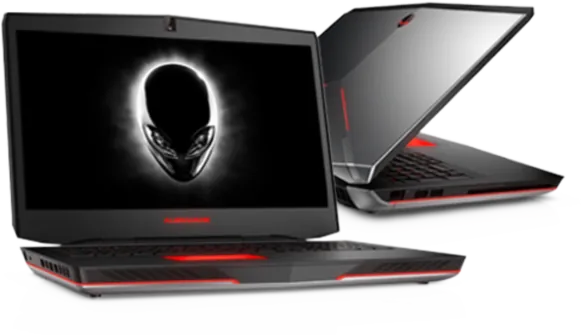
Alienware faults we see most
- Overheating and shutdowns under load
- Freezes, reboots or failure to boot
- Black, dim or flickering screen
- Beep codes at start-up
- Battery not charging or power jack faults
- SSD or hard drive not detected
- Keyboard or touchpad unresponsive
- Wi-Fi or audio not working
Alienware repairs and upgrades
- Screen replacement: Full HD, QHD, 4K, OLED and G-SYNC panels
- Motherboard diagnosis, graphics rework or replacement
- Thermal service: fans, heatpipes and paste
- NVMe SSD upgrades
- Memory upgrades and slot repair, DDR4 and DDR5
- Battery testing and OEM battery replacement
- Touchpad and palmrest repairs
- Liquid damage inspection and cleaning
- Windows 11 reinstallation or upgrade
- Malware and virus removal
- Data recovery from failed drives
Alienware price guide
| Service | Price, including VAT |
|---|---|
| Strip-down assessment, only charged if the board has to come out | £54.00 |
| Screen replacement | From £165.00 |
| SSD upgrade, 500GB or 1TB NVMe | From £145.00 |
| Motherboard or graphics repair | From £245.00 |
| Battery replacement, OEM battery | From £125.00 |
| Liquid damage cleaning and repair | From £135.00 |
| Memory upgrade to 16GB or 32GB | From £95.00 |
| DC jack or USB-C charging port repair | From £85.00 |
| Operating system reinstall and driver setup | £75.00 |
| Clean room data recovery diagnostic | £94.80 |
| Physical data recovery on a single drive, plus a donor drive if needed | £540.00 |
Alienware repair pages by range
- Alienware m seriesm15 R1 to R7 and m17 R1 to R7
- Alienware x seriesx14, x15, x16 and x17
- Alienware Area-51mArea-51m and Area-51m R2
Alienware models we support
- m series
- m15 R1 to R7 and m17 R1 to R7
- x series
- x14 R1 and R2, x15 R1 and R2, x16 R1, x17 R1 and R2
- Area-51m
- Area-51m and Area-51m R2
- Numbered
- Alienware 13, 14, 15 and 17, including R2 to R5 revisions
- Older
- M11x, M14x, M15x, M17x, M18x and Alienware 18
Common questions
Why does my Alienware overheat?
The usual causes are dust packed into the fans and heatsinks, and thermal paste that has dried out after years of heat. A full strip, clean and repaste normally restores proper temperatures. A failed fan or a damaged heatpipe needs replacing.
Can a failed graphics chip be repaired?
In many cases, yes. Graphics faults on Alienware boards are repaired by reworking or replacing the chip, which costs far less than a new motherboard. Board-level repairs start from £245 and carry a 90-day warranty.
Can you collect my Alienware from Fulham or Central London?
Collection and return can be arranged for homes and offices across Fulham and Central London. Ask when you call 020 7237 6805 and we'll confirm what's possible for your postcode. You're also welcome to bring it to the workshop at Willow Walk, SE1, Monday to Saturday.
Will I lose my files?
Most repairs don't touch your files at all. If the job involves reinstalling the system or replacing the drive, tell us what you need to keep and we'll back it up or move it across first. Everything on your machine is treated as confidential.