
iMac repair in Fulham and Central London
An iMac puts the whole computer behind the screen, so even a small fault means opening the display. We repair and upgrade every generation, from the white plastic Intel models to Retina.
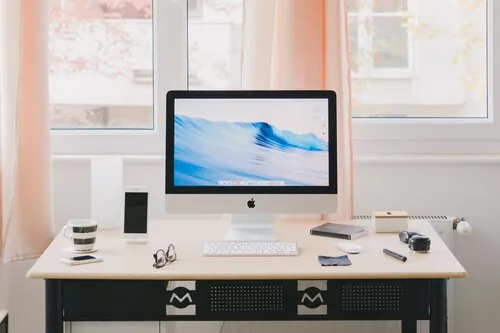
iMac faults we fix
- Won't power up or won't boot
- Starts to a blank screen
- Shuts down at random
- Damaged or distorted screen
- Graphics problems
- Kernel panics
- Running slowly
- Overheating
- Hard drive failure
- Faulty memory
- Wi-Fi problems
- Time Machine won't back up
- Liquid spill damage
- Broken or drooping hinge
iMac repairs and upgrades
- Screen repair or replacement
- Power supply replacement
- Hard drive replacement or upgrade
- SSD upgrade
- Memory upgrade or replacement
- Overheating repair
- Optical drive replacement on older models
- Component-level logic board repair
- macOS installation and upgrade
- Hard drive and SSD data recovery, and secure transfer to a new Mac
iMac models by year, 2012 to 2024
- 2012 to 2014
- 21.5 inch: iMac 21.5 inch. 27 inch, and Retina 5K from Late 2014: iMac 27 inch
- 2015
- 21.5 inch and Retina 4K: iMac 21.5 inch. Retina 5K 27 inch: iMac 27 inch
- 2017
- 21.5 inch and Retina 4K: iMac 21.5 inch. Retina 5K 27 inch: iMac 27 inch. iMac Pro
- 2019
- Retina 4K 21.5 inch: iMac 21.5 inch. Retina 5K 27 inch: iMac 27 inch
- 2020
- Retina 5K 27 inch: iMac 27 inch
- 2021
- 24 inch M1: iMac 24 inch
- 2023
- 24 inch M3: iMac 24 inch
- 2024
- 24 inch M4: iMac 24 inch
Older iMacs, including the 20 and 24 inch aluminium models and the white Intel iMac, are repaired too. Call 020 7237 6805 with the model.
Repair pages by model
- iMac 21.5 inch, 2012 to 2019A1418, A2116
- iMac 27 inch, 2012 to 2020A1419, A2115
- iMac 24 inch (M1, M3, M4), 2021 to 2024A2438, A2439, A2873 and others
The upgrade that makes the biggest difference
Many iMacs shipped with a mechanical hard drive or a Fusion Drive, and after a few years that drive is what makes the whole machine feel slow. Replacing it with an SSD, with your system and files cloned across, is the most effective upgrade there is. We can add memory in the same visit.
Getting it to us
A 27 inch iMac is not something to carry on the Tube. Ask about collection when you call. We work for home users, schools and businesses of all sizes.
Common questions
Can you upgrade the memory in my iMac?
On most 27 inch models the memory sits behind a small door and is easy to upgrade. On many 21.5 inch models the screen has to come off first, which we can do. Tell us the year and we'll confirm.
My iMac is very slow. Is it worth upgrading?
If it still has its original hard drive, almost certainly. An SSD upgrade typically makes an older iMac start and open apps many times faster.
Can you collect my iMac from Fulham or Central London?
Collection and return can be arranged for homes and offices across Fulham and Central London. Ask when you call 020 7237 6805 and we'll confirm what's possible for your postcode. You're also welcome to bring it to the workshop at Willow Walk, SE1, Monday to Saturday.
Will I lose my files?
Most repairs don't touch your files at all. If the job involves reinstalling the system or replacing the drive, tell us what you need to keep and we'll back it up or move it across first. Everything on your machine is treated as confidential.