
MacBook Air Retina repair, 2018 to 2020 (Intel)
The 2018 redesign gave the Air a Retina display, USB-C and Touch ID. We repair the 2018, 2019 and 2020 Intel models.
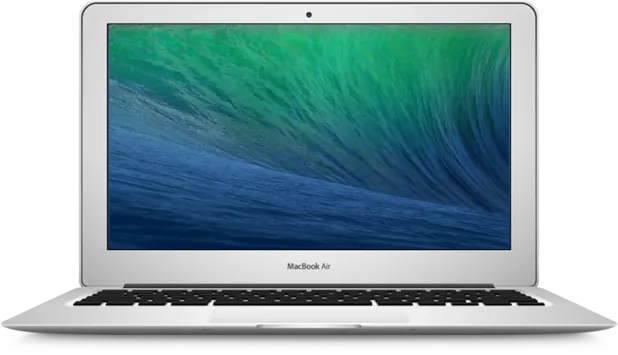
These Airs have two USB-C ports, a Retina screen and Apple's T2 security chip, with storage that is part of the logic board. The 2018 and 2019 models have the butterfly keyboard and the 2020 model has the more reliable Magic Keyboard.
Models covered
- Retina, 13-inch, 2018
- Model A1932
- Retina, 13-inch, 2019
- Model A1932
- Retina, 13-inch, 2020
- Model A2179
Faults we fix
- Keys sticking or repeating on 2018 and 2019 models
- Running hot with a loud fan
- Cracked screen
- Battery draining quickly
- Not charging over USB-C
- Liquid spill damage
- Won't turn on
Repairs and upgrades
- Keyboard replacement, as a top case assembly
- Display assembly replacement
- Battery replacement
- USB-C port replacement
- Fan clean and thermal service
- Trackpad replacement
- Logic board repair
- Liquid damage cleaning and repair
- macOS reinstall
- Data recovery through logic board repair
Keyboard faults on 2018 and 2019 models
The butterfly keyboard on the 2018 and 2019 Air can develop sticking or repeating keys. The keyboard is part of the top case, so it is replaced as an assembly.
Heat on the 2020 Intel model
The 2020 Intel Air is known for running warm, with its fan working hard under even modest loads. A clean and fresh thermal paste helps keep it cooler and quieter.
Not the right model? See all MacBook Air models by year.
Common questions
Which Retina MacBook Air do I have?
Choose About This Mac from the Apple menu. The model number is also printed underneath: A1932 for 2018 and 2019, A2179 for the 2020 Intel model and A2337 for the M1.
Can you recover my files if this Mac won't turn on?
On this generation the storage is part of the logic board and is encrypted by the Mac's own security chip, so it can't simply be removed and read. Getting the data back means repairing the logic board far enough to copy it off, which is exactly what our component-level repair is for. See Mac data recovery.
Can you collect my Mac from Fulham or Central London?
Collection and return can be arranged for homes and offices across Fulham and Central London. Ask when you call 020 7237 6805 and we'll confirm what's possible for your postcode. You're also welcome to bring it to the workshop at Willow Walk, SE1, Monday to Saturday.
Is the repair guaranteed?
Yes. Parts we fit and motherboard repairs carry a 90-day warranty. If the same fault comes back in that time, bring the machine in and we'll put it right.